
Stops near you: find where to catch the bus with one tap
One tap on the location button and Passa il bus shows you the nearest stops, how far they are on foot, the lines that stop there and the next departure. Here is how it works, step by step.
Published on · 3 min read
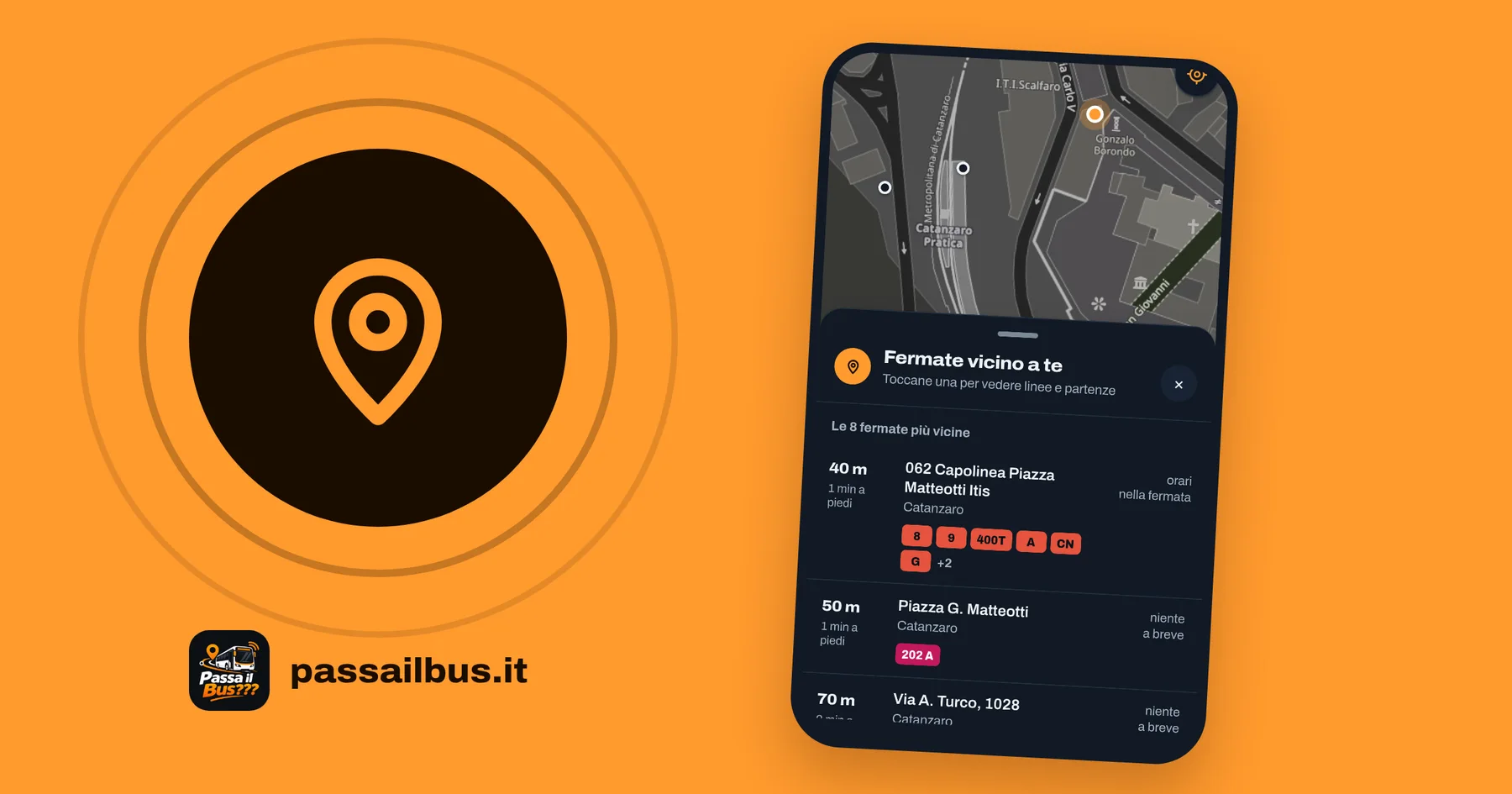
At the stop the question is always the same: when is the bus coming? But often another one comes first: which stop is closest, and which lines go through it? From today Passa il bus answers that too, with a single tap.
The new feature is called Stops near you: it uses the location of your phone or computer, finds the stops around you and, for each one, tells you how far it is, which lines go through it and when the next bus leaves.
How to use it, step by step
Open the map at mappa.passailbus.it or open the Passa il bus app on your phone.
Tap the location button in the top right corner. On the website it looks like a crosshair, in the apps it is an arrow.
Allow access to your location. The first time, your browser or phone asks whether Passa il bus may know where you are: tap Allow. Without permission the feature cannot find the stops around you; if you refused by mistake, you can allow it at any time in your browser or phone settings.
Look at the map and the list. The map moves to where you are, with the nearest stops marked around you, and below it the Stops near you panel opens with the eight closest stops within one and a half kilometres, from nearest to farthest.
Read each row. On the left you see the distance and the walking time; in the middle the stop name, the town and the numbers of the lines that stop there; on the right the next departure, with its line and how many minutes until it arrives.
Tap a stop to see all upcoming departures, with the expected time and the delay of buses that have their GPS on, and every line that stops there.
Tap a departure to follow that bus on the map: where it is right now, its route and the stops still to come.
How to read the information
The distance is measured in a straight line, and the walking time is an estimate: if there are steps or a road to get around, it will take a little longer.
The next departure includes the delay when the bus is transmitting its position. If the right side says nothing soon, no bus leaves that stop in the next three hours.
The list updates by itself every thirty seconds, and also when you move more than 150 metres: you can keep it open while you walk to the stop.
If there are no stops around you within one and a half kilometres, Passa il bus still shows you the closest ones and tells you so with a note.
Your location stays yours
Your location is only used to find the stops around you. It is sent to the map server to run the search and goes no further: it is not saved, it does not end up in any log and it is not linked to any account, because Passa il bus does not ask you to sign up. All the details are on the Privacy page.
Where to find it
Stops near you is already available on the map in your browser and in the iPhone app, and it is coming to the Android app, which is in testing. It works across all of Calabria, for every operator on the map.
If something looks wrong, for example a stop in the wrong place, write to us: every report helps us improve the map.